


Daily HealthTracker
2.7188.00 Reviews
App Specs
- Version
- 1.7.0
- Updated On
- License
- Free
- Downloads
- 1,000,000+
- Developer
- Atlastyears
- Categories
- Tools
- Platform
- Android
Screenshots
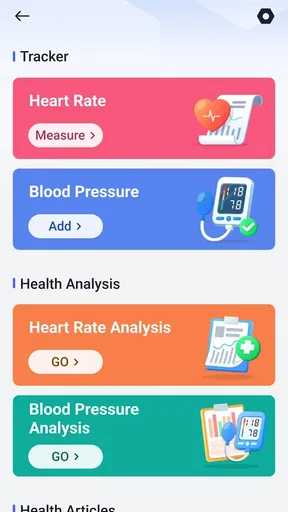
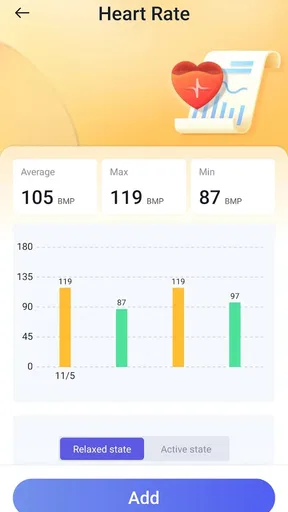
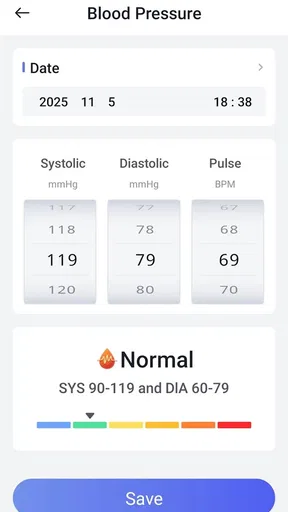
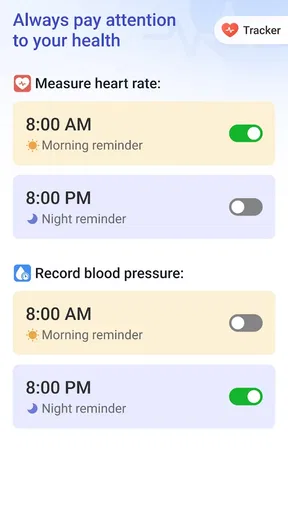
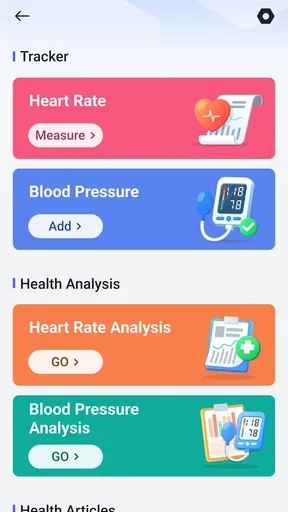
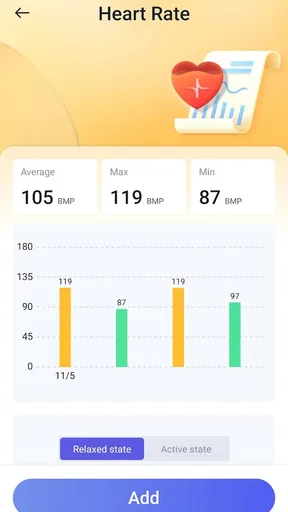
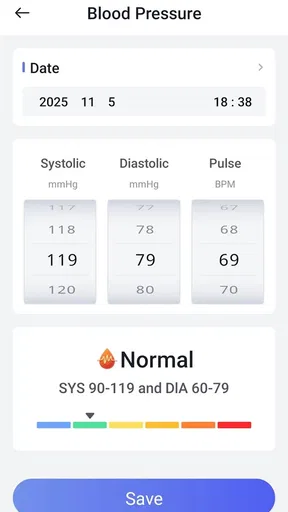
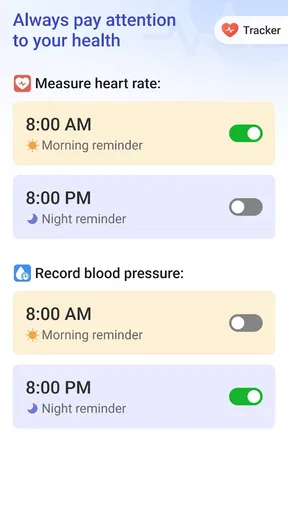
 Analysis by AppCompare
Keeping personal health notes in separate places can turn a simple routine into busywork: steps in one place, meals in another, and water reminders that are easy to ignore. I judge a tracker by whether it makes those small tasks quicker and easier to revisit, rather than by how many charts it can show. Daily HealthTracker is a free tools app from Atlastyears, and its appeal is the promise of a single, approachable place to keep everyday habits in view.
What I would check before building a routine
Before relying on any health app, I like to decide what I actually want to remember. If my main aim is to drink water more regularly, I would start with that one habit instead of trying to record every meal, workout, and night of sleep at once. A tracker only saves time when logging takes less effort than the routine it is meant to support. Starting small also makes it easier to notice whether the app fits naturally into a day.
The practical question is whether the app suits the way you already collect information. Someone who wears a fitness device may prefer data to arrive through that existing routine, while someone without one may want to enter a few details manually. Either way, I would treat early entries as a trial: use them to see whether the screens and reminders are comfortable, then add more only if the habit feels worthwhile. That approach avoids turning a helpful tool into another daily chore.
Who benefits most from a gentle prompt
I can see this being useful for people who want a simple nudge to remember basic wellness routines, especially when their days are busy and consistency is the real challenge. It may also suit someone who likes seeing several personal habits together rather than opening multiple apps. The best fit is not necessarily a fitness enthusiast; it is often the person who wants a low-effort way to notice patterns and make one manageable change at a time.
On the other hand, I would not choose a general tracker as a substitute for medical guidance or a specialized service when precise clinical records matter. Anyone who needs a particular measurement, a carefully documented health history, or professional monitoring should use a tool suited to that need and follow advice from a qualified clinician. Teen is the app’s content rating, so families considering it should also think about whether a general health-tracking routine is appropriate for the young person using it.
What’s it all about?
Alright, let’s get into the nitty-gritty. Daily HealthTracker is designed to help you monitor various aspects of your health. From tracking your daily steps to keeping an eye on your water intake, this app covers the basics and more. It’s like having a mini health dashboard that you can check out anytime you want.
Features that stand out
The app is packed with features, and I was pretty impressed with how intuitive it is. First off, it syncs with most fitness wearables, so if you’re already using one, integration is seamless. You can log your meals, track your calories, and even set reminders to drink water. It’s like having a little nudge every now and then to keep you on track.
Worth Reading Before You Choose

EA SPORTS FC Mobile 26 Is a Bigger Football Game, but It Takes Time

Flipboard Shows What News Apps Must Do Beyond the Feed

Switching to Android Auto Means Rethinking Your Driving Routine

Google Calendar Makes a Crowded Week Easier to Manage

Ludo King Makes the Most of the Minutes Between Plans

Baby Panda World Brings Quick Play to Modern Phones, but Its Game Library Feels Busy
One feature I found particularly useful is the sleep tracker. It provides insights into your sleep patterns, helping you figure out if you’re really getting those 8 hours we all dream about. And if you’re into goal-setting, you can set daily or weekly health goals and get a visual progress report. It’s motivating to see how far you've come!
Making the numbers useful in real life
A realistic way to use the app is to make a quick check-in part of an existing pause, rather than trying to remember to open it repeatedly. I might review a water reminder when I take a break, log a meal after eating, then look at the day’s progress before winding down. That sequence gives each entry a natural place in the day and makes the summary easier to interpret than a rush of late-night guesses.
There is also a useful trade-off in how much I would record. Detailed meal and calorie logging can help someone who wants to understand eating patterns, but it can become tedious if every ingredient needs attention. For a lighter routine, I would use the features that answer a real question and leave the rest alone. A health dashboard is more valuable when it reflects habits you can maintain than when it is full of entries you resent making.
When reviewing progress, I would look for repeated patterns rather than treat a single day as a verdict. A missed goal may simply reflect an unusual schedule; several similar days can be a more useful prompt to adjust a routine. This is especially important with sleep and activity, where a tracker’s record is best used as a personal reference point, not as a diagnosis or a measure of overall health on its own.
How it compares with familiar alternatives
Compared with keeping notes in a phone memo or using separate habit apps, a combined tracker can reduce the effort of switching between places. That convenience matters most when the same person wants to review steps, water, meals, and sleep as parts of one routine. A basic notes app may still be better for someone who wants free-form observations without targets or reminders, while a dedicated fitness app may be preferable to someone focused mainly on training detail.
The wearable connection described for this app could make it a more convenient choice for people already using a compatible device, but I would check that their particular wearable works as expected before making it the center of a routine. “Most” does not mean every model, and a manual fallback is useful if syncing is not available or proves inconsistent. I would avoid entering the same activity in two places, since duplicate records can make a progress view less trustworthy and add exactly the friction a tracker should remove.
Questions worth settling during the first week
Will it fit into my day? I would test one or two habits for several days and pay attention to how often I need to open the app, how quickly entries can be made, and whether reminders arrive at useful moments. If logging repeatedly interrupts work or family time, the routine needs simplifying; a tracker should support a habit, not compete with it.
Can I rely on the information? I would compare a few entries with the source I already trust, such as my wearable for activity, and correct obvious mistakes before setting goals around them. If a connection is unreliable, I would decide whether manual entry is acceptable or whether a different app designed around that device is the better choice. For anyone wondering whether the app replaces professional advice, my answer is no: its role is everyday organization and awareness, not clinical assessment.
Is a single dashboard worth choosing over a specialist app? That depends on the job. If I want a broad view of several ordinary habits, a combined layout can be easier to keep up with. If I need deep analysis of one area, a dedicated sleep, nutrition, or training tool may offer a better fit. The deciding factor is not the longest feature list; it is whether the information I care about is easy to enter and useful to review.
User Experience
The app’s user interface is clean and straightforward. I didn’t have to spend ages figuring out where things were. Everything is categorized neatly, so you can jump straight to what you need. Whether you’re tech-savvy or a bit of a tech newbie, navigating through Daily HealthTracker is a breeze.
Plus, the app offers personalized tips based on your data. So, if you’ve been slacking on your daily steps, expect a gentle reminder to get moving. It’s those little touches that make the app feel like it’s got your back.
Reliability, ratings, and sensible expectations
For a tracker, reliability is not just whether it opens; it is whether the routine remains easy enough to maintain and whether the information is consistent enough to be useful. The average rating is 3.2 from around 1,400 ratings, with about 145 written reviews, so I would approach it with measured expectations rather than assume every user has had the same experience. Its more than a million installs suggest that many people have tried it, but popularity alone cannot tell you whether it will work smoothly with your particular habits and device.
The current version is 1.5.0, and the app requires Android 8.0 or later. I would check that requirement before planning a setup, especially on an older phone. Since this is a free app, it is straightforward to try without a purchase decision, but I would still give it a short, deliberate test instead of transferring a long-running health routine immediately. A few days is enough to judge whether the basic workflow feels manageable; a longer stretch is more useful for deciding whether its summaries help you notice patterns.
Final Thoughts
In a world where health is becoming increasingly important, having an app like Daily HealthTracker can be a game-changer. It’s not just about tracking; it’s about understanding your habits and making small, meaningful changes. If you’re looking for a comprehensive health companion that fits right in your pocket, give it a shot. It could just be the push you need to stay on top of your health game.
My recommendation is narrower and more practical: try it if your recurring problem is forgetting routine entries or juggling several simple wellness habits, and keep only the parts that genuinely save you time. Skip it if you need specialist-grade analysis, dependable clinical records, or a workflow tailored to one specific device that it does not support. Used with realistic expectations, its strongest value is helping ordinary habits become easier to notice and revisit—not making health decisions for you.
Pros
- User-friendly interface for quick navigation.
- Comprehensive health tracking features.
- Syncs seamlessly with wearable devices.
- Customizable reminders for medication.
- Detailed analytics for health insights.
Cons
- Limited free version features.
- Occasional sync issues reported.
- No offline mode available.
- Requires frequent updates.
- Battery consumption is relatively high.
FAQs for Daily HealthTracker
What is Daily HealthTracker and how does it work?
Daily HealthTracker is a comprehensive app designed to help users monitor and manage their health and wellness goals. It offers features like activity tracking, dietary logs, sleep analysis, and personalized health insights. By syncing with various health devices, it provides an integrated view of your daily health metrics, helping you stay on top of your wellness objectives.
Is Daily HealthTracker compatible with all Android and iOS devices?
Daily HealthTracker is compatible with most Android and iOS devices. It requires Android version 8.0 or above and iOS 12.0 or later. However, for optimal performance, it's recommended to use it on devices with the latest operating system updates. Ensure your device’s Bluetooth is enabled for syncing with health gadgets.
Does Daily HealthTracker offer a free version, or is it subscription-based?
Daily HealthTracker offers a free version with basic tracking features. For advanced features such as personalized insights, detailed health reports, and ad-free experience, there is a premium subscription available. Users can choose between monthly or annual plans, with a free trial period to explore premium features before committing.
How secure is my personal health data on Daily HealthTracker?
The app prioritizes user privacy and data security. Daily HealthTracker implements robust encryption protocols to protect your data. It does not share personal health information with third parties without your consent. Users can also access privacy settings to control data sharing and ensure their information is always secure.
Can Daily HealthTracker integrate with other health apps and devices?
Yes, Daily HealthTracker integrates seamlessly with popular health apps and devices such as Google Fit, Apple Health, Fitbit, and more. This integration allows users to consolidate their health data in one place for comprehensive analysis and insights, enhancing the overall tracking experience.


